


Style Guide
Tech Terms Daily – Style Guide
Category — GRAPHIC DESIGN
By the WebSmarter.com Tech Tips Talk TV editorial team
1 | Why Today’s Word Matters
In a digital-first world, brand impressions are formed in seconds—and every social post, ad, or website visit adds to the picture your audience has of you. But without consistency, that picture becomes blurry.
That’s where a style guide comes in. It’s not just a “nice to have” for big corporations—it’s essential for any business serious about building brand trust. According to Lucidpress’s 2024 Brand Consistency Report, brands that maintain consistent visuals and messaging see up to 33% higher revenue growth than those that don’t.
A style guide ensures your colors, typography, imagery, and tone work together across all platforms, whether you’re producing a Facebook ad, an event flyer, or a new landing page. It keeps every designer, copywriter, and marketer aligned—so your brand looks and feels the same everywhere your audience encounters it. Without one, even great designs can confuse or weaken your brand identity.
2 | Definition in 30 Seconds
Style Guide (Graphic Design):
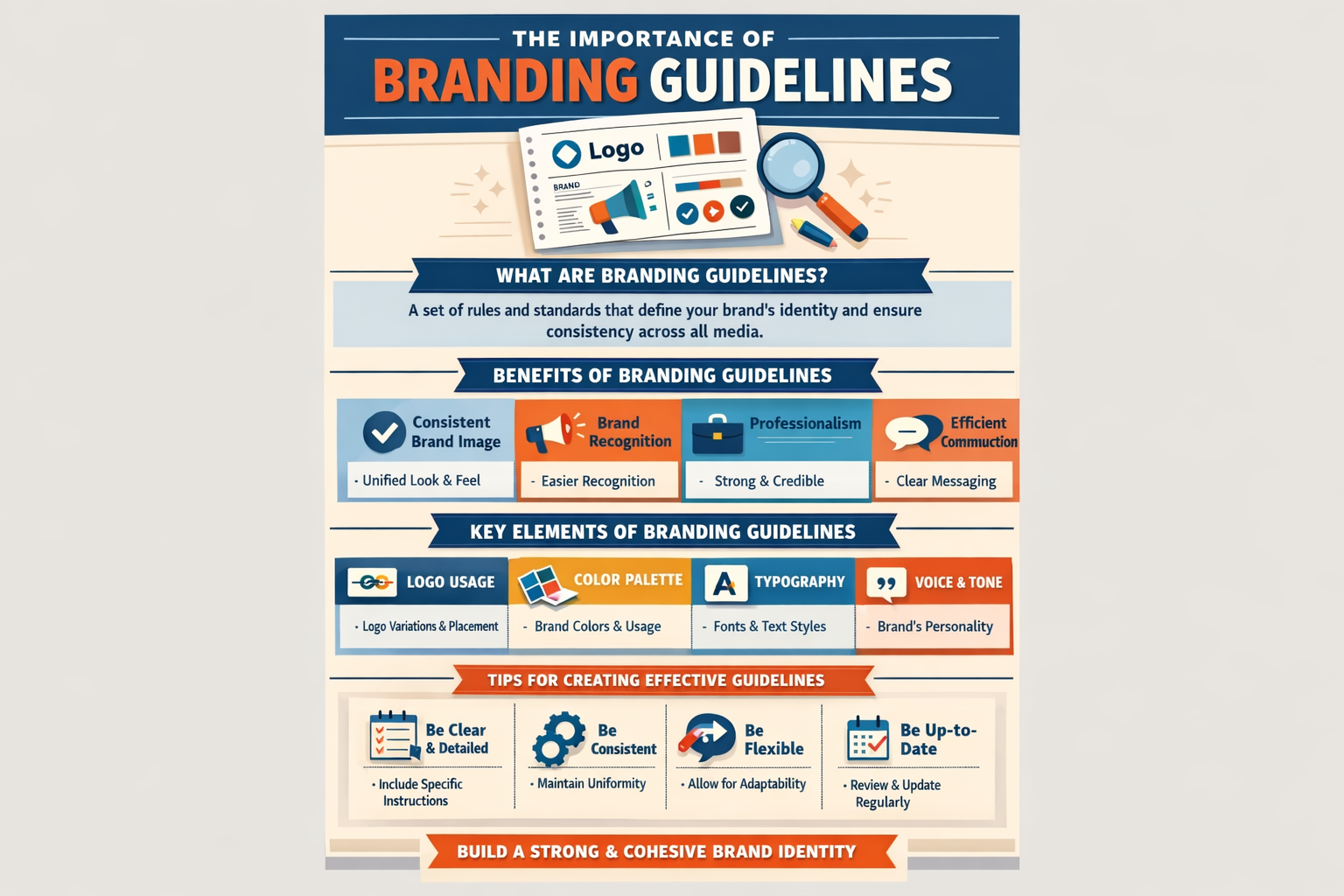
A documented set of visual, typographic, and brand communication rules that ensures consistent use of design elements across all mediums.
It answers four core questions:
- What colors, fonts, and imagery define our brand?
- How should our logo be used (and not used)?
- What tone and style should our written content have?
- How do we maintain brand recognition in every design?
Think of it as your brand’s visual constitution—a rulebook that keeps every piece of creative work on-message and on-brand.
3 | Why a Style Guide Is Critical for Graphic Design
| Without a Style Guide | With a Style Guide |
| Inconsistent colors & typography | Unified look across all platforms |
| Mixed brand voice in content | Cohesive tone and personality |
| Confusion for designers & marketers | Clear guidelines save time and revisions |
| Weak brand recognition | Strong, recognizable visual identity |
| Higher production costs | Streamlined workflow and fewer errors |
4 | Key Components of a Strong Style Guide
- Logo Usage Rules – Primary and secondary versions, spacing, size limits, and background options.
- Color Palette – Primary, secondary, and accent colors with HEX, RGB, and CMYK codes.
- Typography – Approved fonts for headings, subheadings, and body text, plus sizing and line spacing.
- Imagery Guidelines – Photography style, illustration style, and acceptable image treatments.
- Iconography – Style, size, and usage rules for icons across designs.
- Layout & Spacing – Standard margins, grids, and alignment rules for print and digital.
- Tone of Voice – Brand personality in copywriting (formal, friendly, humorous, etc.).
- Do’s & Don’ts – Visual examples of correct and incorrect applications.
5 | Five-Step Blueprint for Creating a Style Guide
- Audit Your Current Branding
Review existing materials to identify inconsistencies in visuals and tone. - Define Core Brand Elements
Finalize your colors, fonts, logo files, and core brand values before documenting. - Document Everything Visually
Show examples for every rule—visual references are clearer than text alone. - Make It Accessible
Store it in a shared, cloud-based location for easy access by all stakeholders. - Review & Update Regularly
Update guidelines when adding new channels, services, or rebranding.
6 | Common Mistakes (and How to Fix Them)
| Mistake | Negative Effect | Quick Fix |
| Too vague or incomplete | Designers fill gaps inconsistently | Include exact specs and visual examples |
| Ignoring digital-specific guidelines | Poor online presentation | Add rules for web, mobile, and social media |
| Overly rigid rules | Stifles creativity | Allow flexibility within brand boundaries |
| No tone of voice section | Inconsistent messaging | Document brand personality and copy style |
| Not distributing the guide widely | Limited adoption | Share with every creative and marketing partner |
7 | Advanced Style Guide Tactics for 2025
- Interactive Digital Style Guides – Online platforms like Frontify or Zeroheight that update in real time.
- Component Libraries – Include reusable design components for web and app teams.
- Cross-Channel Adaptations – Tailor guidelines for video, animation, AR/VR, and other emerging media.
- Accessibility Standards – Include rules for color contrast, font legibility, and inclusive design.
- Automated Brand Checks – Use AI tools to scan designs for compliance with the style guide.
8 | Recommended Tool Stack
| Purpose | Tool / Service | Why It Rocks |
| Style Guide Creation | Canva Brand Kit | Easy setup and sharing for small teams |
| Interactive Guides | Frontify, Zeroheight | Centralized, cloud-based, updatable |
| Asset Management | Brandfolder, Bynder | Keeps logos, fonts, and templates organized |
| Typography Management | Google Fonts, Adobe Fonts | Easy access and licensing compliance |
| Color Palette Testing | Coolors, Adobe Color | Test and refine brand color schemes |
9 | Case Study: Bringing a Brand Into Alignment
A WebSmarter.com client—a growing wellness brand—was producing social media posts, ads, and product packaging through different designers.
Before:
- Three different logo versions in circulation.
- Colors varied between print and digital materials.
- Social media captions alternated between casual and corporate tone.
After WebSmarter’s Style Guide Implementation:
- Standardized logo usage and defined color codes for all mediums.
- Established clear font hierarchy for web, print, and social content.
- Created a tone of voice guide that balanced professionalism with approachability.
Result:
- Increased brand recognition by 46% within six months.
- Reduced design revision time by 38%, saving on production costs.
10 | How WebSmarter.com Makes Style Guides Turnkey
- Brand Audit – Identify inconsistencies in your current visual and messaging approach.
- Guideline Development – Build a complete, easy-to-use style guide for all mediums.
- Template Creation – Provide ready-to-use templates for web, print, and social media.
- Digital Asset Management – Organize and host your brand elements for easy access.
- Training & Adoption Support – Ensure your team and partners follow the guide consistently.
11 | Wrap-Up: Consistency Creates Confidence
A style guide is more than a design tool—it’s a business growth tool. By keeping every visual and message aligned, you build recognition, trust, and professionalism that your audience notices.
With WebSmarter’s expert style guide services, you’ll have a single, authoritative resource that keeps your branding sharp, clear, and consistent—no matter who’s creating the content.
🚀 Book your Brand Style Guide Audit today and start building a stronger, more unified brand presence.


You must be logged in to post a comment.