

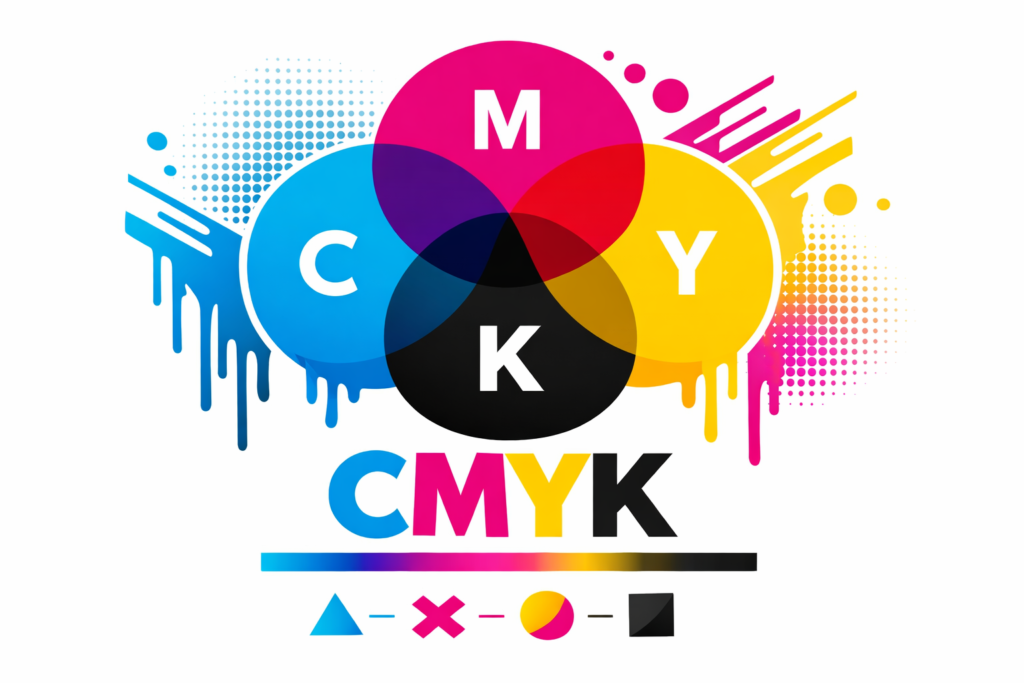
CMYK (Cyan, Magenta, Yellow, Key)
Tech Terms Daily – CMYK (Cyan, Magenta, Yellow, Key)
Category — GRAPHIC DESIGN
By the WebSmarter.com Tech Tips Talk TV editorial team
1 | Why Today’s Word Matters
In the world of graphic design, color is more than just decoration—it’s communication. The colors you choose affect mood, brand perception, and visual impact. But before a single hue hits paper, designers need to understand how colors are produced in print. That’s where CMYK comes in.
CMYK—short for Cyan, Magenta, Yellow, and Key (black)—is the standard color model used in printing. While digital screens use RGB (Red, Green, Blue) to display color through light, printers rely on CMYK to layer inks in precise combinations, creating the full color spectrum on physical materials.
In 2025, with more brands seeking consistency between their digital and print identities, understanding CMYK is critical for designers, marketers, and business owners. Without it, you risk mismatched colors, dull prints, and expensive reprints. With it, you can ensure your brochures, business cards, signage, and packaging reflect your brand exactly as intended—down to the last shade.
2 | Definition in 30 Seconds
CMYK (Cyan, Magenta, Yellow, Key) for Graphic Design:
A subtractive color model used in printing that combines varying percentages of cyan, magenta, yellow, and black inks to produce a full range of colors on paper or other print media.
It answers four critical design and production questions:
- How will my digital design translate to print?
- What ink color combinations create my desired results?
- How do I ensure color accuracy between my monitor and printed materials?
- Why do print colors sometimes look different from on-screen colors?
Think of CMYK as the recipe book for color printing—where four basic “ingredients” blend to create thousands of shades.
3 | Why CMYK Matters in Graphic Design
| Without CMYK Knowledge | With CMYK Knowledge |
| Print colors look dull or inaccurate | Accurate color reproduction across media |
| Costly trial-and-error in print runs | Efficient, predictable results from the start |
| Poor brand consistency in print materials | Consistent brand colors in every format |
| Confusion between RGB and CMYK | Clear understanding of when to use each |
| Unnecessary production delays | Smooth, error-free prepress process |
4 | Core Components of the CMYK Model
- Cyan (C) – A blue-green ink that absorbs red light.
- Magenta (M) – A reddish-pink ink that absorbs green light.
- Yellow (Y) – A bright yellow ink that absorbs blue light.
- Key (Black) (K) – Used for depth, detail, and true black tones; also reduces ink usage compared to mixing all colors.
By layering these inks in tiny dots (halftones), printers can produce a vast range of colors through subtractive mixing—where colors are created by absorbing certain wavelengths of light and reflecting others.
5 | Five-Step Blueprint for Working with CMYK in Graphic Design
- Start Your Project in the Right Color Mode
- In software like Adobe Illustrator, Photoshop, or InDesign, set your document to CMYK before designing for print.
- In software like Adobe Illustrator, Photoshop, or InDesign, set your document to CMYK before designing for print.
- Use Pantone or CMYK Values for Brand Colors
- Assign precise CMYK values to maintain color consistency across print runs.
- Assign precise CMYK values to maintain color consistency across print runs.
- Soft-Proof Your Design
- Use soft proofing to simulate CMYK output on-screen, adjusting colors as needed.
- Use soft proofing to simulate CMYK output on-screen, adjusting colors as needed.
- Communicate with Your Printer
- Confirm print specs, color profiles, and proofing processes to avoid surprises.
- Confirm print specs, color profiles, and proofing processes to avoid surprises.
- Request and Approve a Hard Proof
- Always review a printed proof before final production to verify colors and details.
- Always review a printed proof before final production to verify colors and details.
6 | Common Mistakes (and How to Fix Them)
| Mistake | Negative Effect | Quick Fix |
| Designing in RGB for print projects | Colors appear muted or different in print | Switch to CMYK color mode before designing |
| Ignoring ink limits | Oversaturated colors cause smudging | Stay within recommended total ink coverage |
| Over-relying on black ink for shadows | Loss of depth in dark areas | Use rich black (C:60, M:40, Y:40, K:100) for deep tones |
| Not calibrating your monitor | Screen colors don’t match printed output | Calibrate regularly and use printer ICC profiles |
| Skipping the proofing stage | Expensive reprints for incorrect colors | Always approve a pre-production proof |
7 | Advanced CMYK Strategies for 2025
- Spot Colors with CMYK – Combine CMYK with spot colors (Pantone) for precise branding.
- Extended Gamut Printing – Use CMYK plus additional inks (like orange, green, violet) for richer color ranges.
- G7 Color Management – Apply G7 calibration to achieve consistent gray balance and tonality.
- Eco-Friendly Inks – Incorporate soy-based or water-based inks in CMYK printing for sustainability.
- Digital Press Simulation – Use advanced RIP software to simulate final CMYK output more accurately.
8 | Recommended Tool Stack for CMYK Design & Production
| Purpose | Tool / Service | Why It Rocks |
| Design Software | Adobe InDesign, Illustrator | Industry standard for print design |
| Image Editing | Adobe Photoshop | Full CMYK editing and proofing capabilities |
| Color Calibration | X-Rite i1Display Pro | Professional monitor calibration for accurate color |
| Color Libraries | Pantone Connect | Access exact CMYK conversions for brand colors |
| Proofing & Printing | Epson SureColor Printers | High-quality prepress proofing |
9 | Case Study: Brand Color Consistency Across Print Campaigns
A WebSmarter.com retail client was launching a multi-location print campaign for their seasonal sale.
Before:
- Designs created in RGB mode.
- Colors in the printed flyers didn’t match the brand’s signature teal.
- Multiple reprints caused delays and budget overruns.
After WebSmarter’s CMYK Implementation:
- Converted all brand colors to precise CMYK values based on Pantone standards.
- Calibrated monitors and proofed designs using printer ICC profiles.
- Approved hard proofs before final print runs.
Result:
- Exact brand color reproduction across all 20,000 flyers, posters, and in-store signage.
- Campaign launched on time with zero color complaints.
- Printing costs reduced by eliminating reprints.
10 | How WebSmarter.com Makes CMYK Turnkey
- Color Mode Setup – Ensure all design files start in the correct CMYK mode.
- Brand Color Conversion – Translate your RGB brand palette to accurate CMYK values.
- Proofing Support – Manage both digital and physical proofs for quality control.
- Printer Communication – Coordinate with print vendors to align on specs and color profiles.
- Ongoing Color Management – Maintain consistency across all future print projects.
11 | Wrap-Up: Printing with Precision
CMYK is the foundation of all print design. Whether you’re creating business cards, brochures, packaging, or signage, understanding how Cyan, Magenta, Yellow, and Key (black) combine ensures your vision translates accurately from screen to paper.
With WebSmarter’s expertise, you can eliminate color guesswork, avoid costly mistakes, and produce print materials that look exactly how you imagined them—every time.
🚀 Book your CMYK Design & Print Consultation today and make sure your brand colors pop on every printed page.


You must be logged in to post a comment.