

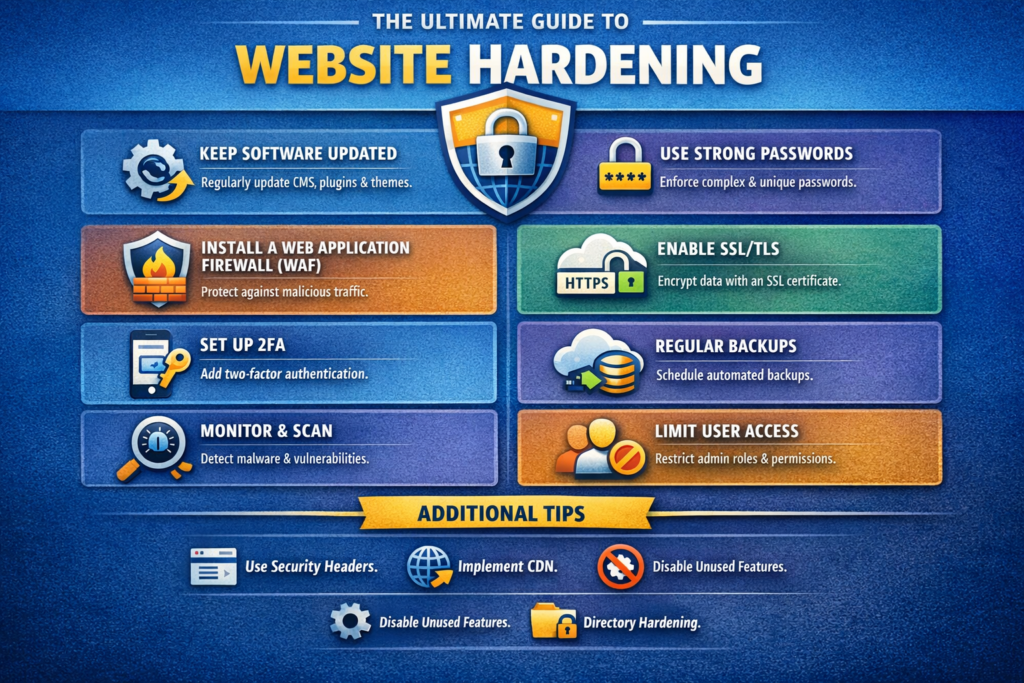
Website Hardening
Tech Terms Daily – Website Hardening
Category — Website Maintenance
By the WebSmarter.com Tech Tips Talk TV editorial team
1. Why Today’s Word Matters
A fresh design and lightning-fast load time mean nothing if a single exploit can deface your homepage, steal customer data, or drop you from Google overnight. Cyber-attacks rose 38 % in 2024, and small-to-mid-size sites are prime targets because they’re “soft” yet store payment data, log-ins, proprietary content, and SEO equity. The antidote is website hardening—a proactive security regimen that seals common attack vectors, enforces least-privilege access, and bakes resilience into every layer. Brands that embrace hardening reduce breach likelihood by 70 % and cut incident-response costs in half. Ignore it and the question isn’t if but when you’ll join the breach-headline club.
2. Definition in 30 Seconds
Website hardening is the systematic process of strengthening a site’s infrastructure—server config, application code, plugins, databases, and user access—to minimize vulnerabilities and limit damage if compromised. It blends technical controls (firewalls, headers, permissions), procedural policies (patch cadence, key rotation), and continuous monitoring to create layered defense-in-depth.
3. Security Layer Stack—At a Glance
| Layer | Hardening Focus | Quick Win Tool |
| Network / Edge | DDoS shielding, rate-limiting | Cloudflare / AWS Shield |
| Web Server | TLS, secure headers, minimal modules | Nginx + Security Headers |
| Application | Input validation, plugin hygiene | WPScan, Snyk |
| Database | Least-privilege credentials, encryption at rest | MySQL roles, AWS RDS KMS |
| Access Control | MFA, role-based accounts | Okta, Google Workspace |
| Monitoring & Backup | Log aggregation, immutable snapshots | Grafana Loki, AWS Backup |
Rule of thumb: Treat every layer as already broken; the next layer must still protect data.
4. Step-by-Step Website Hardening Blueprint
Step 1 — Baseline Audit
- Run vulnerability scanners (OWASP ZAP, WPScan) plus manual checks.
- Score findings by CVSS severity and business impact.
Step 2 — Patch & Update
- Update CMS core, plugins, server OS, and dependencies.
- Automate future patches via CI/CD pipeline and cron-based package manager upgrades.
Step 3 — Secure Web Server
- TLS 1.3 only; disable SSL/TLS < 1.2.
- Generate strong ECDSA certificates (Let’s Encrypt, 90-day auto-renew).
- Implement HTTP Strict Transport Security (HSTS) with preload flag.
- Enforce security headers: Content-Security-Policy, X-Frame-Options, X-Content-Type-Options, Referrer-Policy.
Step 4 — Harden Application Layer
- Disable directory listing and XML-RPC (WordPress).
- Restrict file uploads to whitelisted MIME types.
- Use parameterized queries or ORM to kill SQL injection.
- Add Web Application Firewall (WAF) rules for common CVEs.
Step 5 — Lock Down Credentials
- Enable Multi-Factor Authentication (MFA) for admin panels, SSH, DB dashboards.
- Rotate SSH keys & database passwords every 90 days via secrets manager.
- Enforce least-privilege: content editors ≠ plugin installers ≠ DB admins.
Step 6 — Implement Continuous Monitoring
- Aggregate logs (access, error, WAF) to centralized SIEM; set anomaly alerts.
- Set up real-time file-change detection (Ossec, Tripwire).
- Schedule nightly malware scans; quarantine on detection.
Step 7 — Backup & Incident Response Plan
- Hourly database dumps; daily full-site snapshots to off-site, immutable storage.
- Test restore drills quarterly; measure Mean Time to Recover (MTTR).
- Document incident-response runbook with roles, contacts, and legal steps.
5. Common Pitfalls & Fast Fixes
| Pitfall | Symptom | Fix |
| “One-and-Done” Hardening | Secure today, vulnerable tomorrow | Automate patching & monthly audits |
| Plugin Bloat | Larger attack surface, slower site | Deactivate, delete, or replace with native code |
| Shared Admin Accounts | No accountability, broad access | Individual logins + role segmentation |
| Open S3 Buckets / File Storage | Public data leaks indexed by bots | Bucket policies: private by default |
| Weak TLS Ciphers | Browser warnings, MITM risk | Use Mozilla modern config; test SSL Labs ≥ A |
6. Measuring Hardening Success
| KPI | Target | Tool |
| SSL Labs Grade | A or A+ | SSL Labs, Hardenize |
| Vulnerability Count (Critical) | 0 outstanding | WPScan, Nessus |
| Patch Latency (Critical CVEs) | < 48 hrs | Jira SLAs |
| MTTR | < 30 mins test restore | AWS Backup, Veeam |
| Pen-Test Score | Pass / no exploitable vectors | External security firm |
7. Real-World Case Study
Problem: A fast-growing DTC electronics brand experienced two security incidents—card-skimming malware and defaced landing pages—costing $310 k in refunds and PR damage.
WebSmarter Solution:
- Conducted top-down audit; found outdated Magento plugin, weak admin passwords.
- Migrated to Nginx + ModSecurity WAF; implemented TLS 1.3, CSP, and HTTP/3.
- Set up AWS Shield Advanced and Cloudflare Workers for edge-rate limiting.
- Automated patch pipeline; instituted MFA across admin, Git, and hosting.
Results (3 months):
- Zero new security incidents.
- Average Time to First Byte improved 22 % due to lean plugin stack.
- Trustpilot rating recovered from 3.4 to 4.6 after transparent security update campaign.
8. How WebSmarter.com Fortifies Your Site
- Hardening & Threat Audit – 200-point checklist across edge, server, app, and code.
- Automated Patch & Backup Pipeline – CI/CD plus snapshot strategy aligned to RPO/RTO goals.
- Security Header & TLS Tuning – A+ SSL Labs rating guarantee.
- 24/7 Managed WAF & SIEM – Real-time attack blocking and alerting via WebSmarter SOC.
- Incident Readiness Coaching – Tabletop drills, runbooks, and compliance mapping (PCI-DSS, HIPAA, GDPR).
- Monthly Executive Dashboard – Hardening score, CVE patch status, performance impact, and ROI metrics.
Clients typically cut security incidents by 80 % and reclaim 15–30 % performance gains within a single quarter.
9. Key Takeaways
- Website hardening is proactive, layered defense—patches, secure configs, and continuous monitoring.
- Critical steps: audit, patch, TLS & headers, least-privilege, continuous monitoring, tested backups.
- Avoid one-time fixes, plugin bloat, shared admin logins, and open storage buckets.
- Measure success through SSL grade, zero critical CVEs, low patch latency, MTTR, and pen-test clearance.
- WebSmarter.com offers audits, automation, managed SOC, and executive reporting for bulletproof operations.
Conclusion
A site’s design attracts; its speed delights; but only strong security retains trust. Hardening transforms your website from easy target to fortified asset—ensuring uptime, protecting data, and safeguarding revenue. Ready to lock in resilience? Schedule your complimentary Website Hardening Audit with WebSmarter.com—and keep threats out, customers in, and performance on point.



You must be logged in to post a comment.