

Digital Asset
Tech Terms Daily – Digital Asset
Category — INTERNET & ONLINE MARKETING
By the WebSmarter.com Tech Tips Talk TV editorial team
Why Today’s Word Matters
In 2025, content is still king—but only if you can find it, repurpose it, and distribute it at the speed of culture. Marketers waste an estimated 26 % of their budget recreating graphics, videos, and copy that already exist—buried on someone’s hard drive or locked in an agency portal. Meanwhile, AI-powered channels (think TikTok Notes, Google’s Search Generative Experience, and Meta’s Advantage+ ads) demand a nonstop stream of on-brand visuals and copy variants. Digital Assets—the raw ingredients of every campaign—must be centrally managed, instantly searchable, and legally safe to reuse. Master this, and you’ll slash production costs, beat competitors to trending topics, and compound SEO equity with every syndication. Ignore it, and you’ll bleed budget on duplicate work and brand-damaging inconsistencies.
Definition in 30 Seconds
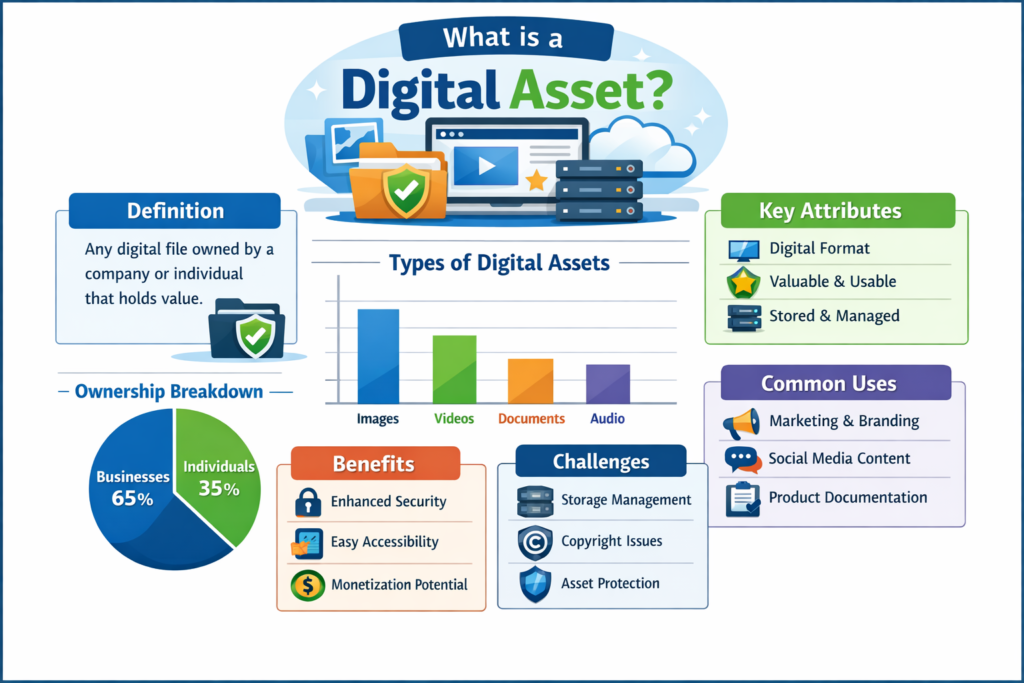
A Digital Asset is any file that holds intrinsic or potential value for your organization’s marketing, operations, or brand. To qualify, it must be:
- Digitally stored (image, video, audio, PDF, code snippet, dataset, 3D model, NFT, etc.).
- Uniquely identifiable (via metadata or version control).
- Rights-cleared for use (copyright, license, or ownership documented).
- Actionable—i.e., it can be retrieved, edited, and distributed to create business value.
Think of a digital asset as the atomic building block of modern marketing: combine, remix, or syndicate these atoms to build infinite campaign molecules—social posts, ads, blog graphics, email headers, AR filters, you name it.
Where Digital Assets Fit in the Marketing Flywheel
| Flywheel Stage | Example Digital Assets | Primary Objective | KPI Impact |
| Attract (SEO, social) | Blog hero images, infographics, explainer videos | Earn attention, SERP visibility | Organic clicks, impressions |
| Engage (lead gen) | Whitepapers, webinar recordings, interactive tools | Capture leads, nurture trust | Cost Per Lead, dwell time |
| Convert (sales) | Case-study PDFs, demo reels, ROI calculators | Prove value, accelerate pipeline | Win rate, deal velocity |
| Delight (retention) | Onboarding tutorials, knowledge-base GIFs, loyalty badges | Reduce churn, upsell | NPS, expansion revenue |
| Amplify (advocacy) | User-generated content, branded templates, social proofs | Amplify reach, build community | Share rate, referral leads |
A robust digital-asset library ensures every touchpoint is consistently on-brand and instantly deployable.
Core Types of Digital Assets
- Static Visuals – logos, icons, product photos, social thumbnails.
- Rich Media – motion graphics, short-form videos, podcasts.
- Written Content – blog posts, e-books, email swipes, ad copy, alt-text.
- Data & Code – proprietary datasets, templates, APIs, scripts.
- Interactive & 3D – AR filters, 3D product spins, WebGL scenes.
- Tokenized & Licensed Assets – stock licenses, NFTs, music beds, fonts.
Key Metrics That Matter
| Metric | Why It Matters | Healthy Target |
| Asset Adoption Rate | % of available assets that appear in live campaigns | ≥ 65 % |
| Time-to-Find (TTF) | Avg. minutes to locate correct asset | < 2 min via search |
| Version Error Rate | Incidents of outdated/incorrect files used | < 1 % of deployments |
| Reuse Ratio | # of campaigns per master asset | ≥ 5× within 6 months |
| Compliance Coverage | Assets with complete rights + metadata | 100 % |
Five-Step Workflow for High-Performing Digital-Asset Management
- Centralize & Tag
- Choose a Digital Asset Management (DAM) platform or cloud drive with robust metadata fields.
- Standardize naming conventions (project, date, channel, rights status).
- Choose a Digital Asset Management (DAM) platform or cloud drive with robust metadata fields.
- Govern Rights & Versions
- Attach license docs, model releases, and expiration dates.
- Enable check-in/out or Git-style version control to prevent overwrites.
- Attach license docs, model releases, and expiration dates.
- Create Modular “Atoms”
- Design visuals and copy in layered, editable formats (e.g., PSD, Figma, After Effects) so teams can output any dimension or language on demand.
- Design visuals and copy in layered, editable formats (e.g., PSD, Figma, After Effects) so teams can output any dimension or language on demand.
- Automate Delivery
- Connect your DAM to CMS, ad platforms, and social schedulers via APIs or Zapier to feed channels the right rendition automatically.
- Connect your DAM to CMS, ad platforms, and social schedulers via APIs or Zapier to feed channels the right rendition automatically.
- Measure & Optimize
- Pull analytics on asset usage and performance; archive or iterate low performers, expand high performers into derivative pieces.
- Pull analytics on asset usage and performance; archive or iterate low performers, expand high performers into derivative pieces.
Common Pitfalls (and How to Dodge Them)
| Pitfall | Pain Point | Quick Fix |
| “Asset Soup” on Shared Drives | Duplicate files, outdated logos | Migrate to a single DAM with access roles |
| No Usage Rights Tracking | Costly legal disputes | Embed license data and review alerts |
| One-Size Assets | Pixelated or cropped creatives | Store masters + auto-generate channel-specific renditions |
| Siloed Teams | Redundant production | Shared taxonomies + cross-team Slack channels |
| Manual Distribution | Slow launches, human error | API or webhook automations to end channels |
Five Actionable Tips to Boost Digital-Asset ROI This Quarter
- Build a “Content Atomization” Calendar
Turn each hero asset (e.g., 10-minute webinar) into 20+ micro-assets—Reels, carousel slides, quote cards—to 4× your touchpoints with 1× effort. - Leverage AI for Auto-Tagging
Tools like Clarifai or Adobe Sensei scan visuals and suggest metadata (objects, colors, sentiment) that supercharge searchability. - Adopt Color-Accessible Templates
Store WCAG-compliant palette options inside templates; you’ll hit accessibility targets with every export. - Run Quarterly Rights Audits
A scheduled check flags expiring licenses before campaigns go live—saving fines and takedowns. - Score Assets Against Performance Benchmarks
Tie UTMs or asset IDs to campaign analytics; sunset or A/B test underperformers, double down on winners.
Recommended Tool Stack
| Need | Tool(s) | Highlight Feature |
| DAM Platform | Brandfolder, Bynder, Adobe Experience Manager | AI tagging + CDN renditions |
| Creative Editing | Figma, Canva Pro, Adobe CC | Cloud libraries + version control |
| Video Chunking & Captioning | Descript, Kapwing | Auto transcripts for SEO & accessibility |
| Rights Management | FADEL, RightsOut | License lifecycles & alerts |
| Automation & Integration | Zapier, Make, native APIs | Push assets to CMS, CRM, Ad Manager |
How WebSmarter.com Supercharges Your Digital Assets
WebSmarter treats each asset as an investment—and we make sure it pays compound interest:
- Audit & Migration – We inventory scattered files, purge duplicates, and move everything into a user-friendly DAM wrapped in your brand taxonomy.
- AI-Powered Tagging & Rights Sync – Our custom models auto-assign search keywords, alt-text, and license data, cutting manual admin time by 70 %.
- Content Atomization Workshops – Copywriters and motion designers slice master assets into platform-perfect derivatives, tripling channel coverage without new shoots.
- Performance Dashboards – Real-time linkage of asset IDs to campaign ROAS and SEO metrics spotlights what to replicate or retire.
- Governance & Training – We deliver brand-book templates, Slackbot reminders, and quarterly “DAM health checks” so your library stays evergreen.
Clients see an average 45 % drop in production costs and a 60 % lift in campaign speed-to-market within six months of onboarding.
Wrap-Up: Files to Fuel, Not Friction
Digital assets are no longer static files—they’re dynamic currency in the attention economy. When centralized, tagged, and rights-ready, they empower every team to iterate at the pace of news cycles, personalize at scale, and extend the shelf life of every creative dollar.
Partner with WebSmarter.com and transform your dusty folders into a high-velocity content engine that lowers costs, tightens brand control, and accelerates revenue.
Ready to Unlock Your Asset Arsenal?
🚀 Book a 20-minute discovery call and let WebSmarter’s Digital Asset specialists turn your scattered files into a strategic powerhouse—so your next big idea hits every channel before the trend cools.
Catch us tomorrow on Tech Terms Daily for another buzzword demystified—one term at a time.


You must be logged in to post a comment.