

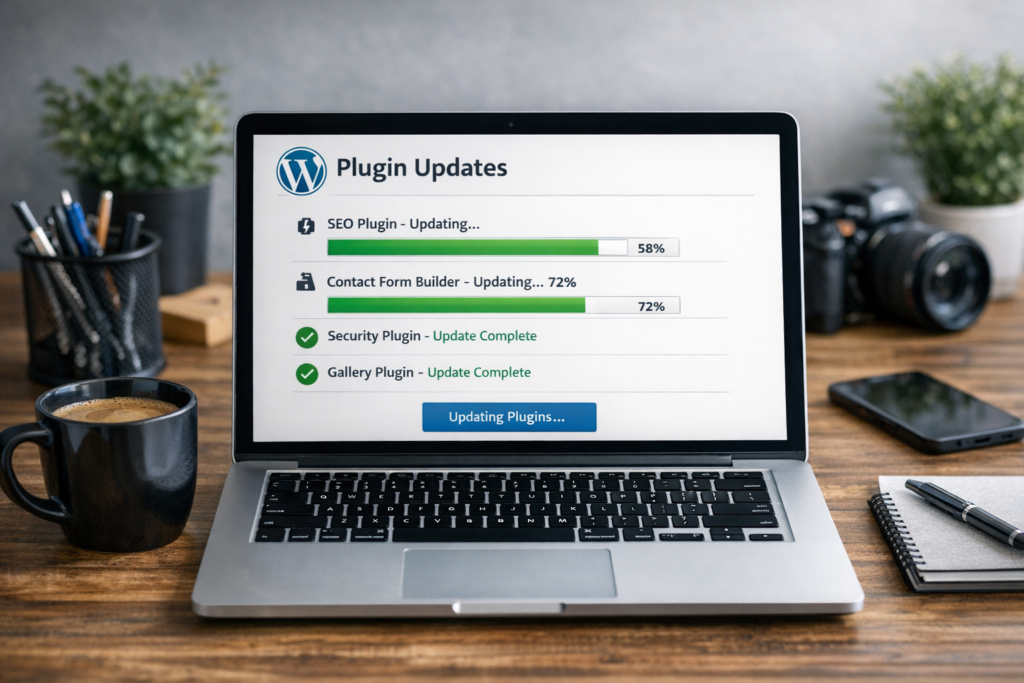
Plugin Updates
Tech Terms Daily – Plugin Updates
Category — Website Maintenance
By the WebSmarter.com Tech Tips Talk TV editorial team
1. Why Today’s Word Matters
Plugins are the power-ups of modern websites. A single click can add live chat, SEO audits, payment gateways, or AI-driven personalization—no custom code required. The flip side? 39 % of hacked WordPress sites trace the breach to an outdated plugin. Unpatched extensions can also break layouts, slow load speed, or trigger compatibility meltdowns after core CMS releases. In short, plugins are both your site’s super-powers and its Achilles heel. A disciplined plugin-update routine is the difference between a high-performing, secure site and a ticking time bomb that erodes revenue and reputation.
2. Definition in 30 Seconds
A plugin update is the process of installing a new version of a third-party module (WordPress plugin, Shopify app, Magento extension, etc.) to gain security patches, performance improvements, feature upgrades, and compatibility fixes. Proper updates happen in a controlled, tested workflow—ideally on a staging environment—before hitting production.
3. Plugin Ecosystem Snapshot
| CMS / Platform | Approx. Plugin Count | Update Cadence | Risk if Neglected |
| WordPress | 60 000+ | Weekly / ad-hoc | High—open-source, frequent exploits |
| WooCommerce | 1 200+ | Monthly | High—handles payments |
| Shopify Apps | 8 000+ | Vendor-pushed | Medium—SaaS sandboxed |
| Magento | 3 500+ | Quarterly | Medium—complex dependencies |
| Joomla / Drupal | 6 000+ / 49 000+ | Varies | Moderate—smaller plugin pools |
Rule of thumb: The more popular the CMS, the more attractive its plugins are to attackers—update early, update often.
4. Update Categories & Priority Levels
| Priority | Trigger | Examples |
| Critical (0-Day) | Security patch for actively exploited vulnerability | SQL injection fix in Contact Form 7 |
| High | Major version aligned with CMS core update | WooCommerce 9 → 10 |
| Medium | Performance boost or feature add | Caching plugin adds Brotli support |
| Low | Cosmetic tweaks, admin UX | Dashboard icon refresh |
Focus on critical and high-priority updates within 24-48 hours; schedule medium/low during regular sprints.
5. Step-by-Step Plugin-Update Blueprint
Step 1 — Audit & Inventory
- Export plugin list (name, version, active/inactive, license key).
- Rate each by business impact and security exposure.
Step 2 — Create a Staging Environment
- Clone production DB and files; mask customer data.
- Automate with tools like WP Stagecoach, GitHub Actions + Docker, or platform staging slots.
Step 3 — Backup Everything
- Off-site snapshot (S3, Azure Blob) + on-demand database dump.
- Verify restore procedure quarterly.
Step 4 — Update in Batches
- Core CMS update (if available).
- Critical security plugins (firewalls, payment gateways).
- Functionality plugins alphabetically or by dependency.
Step 5 — Test Regression Suite
- Unit tests: PHPUnit / Jest for custom functions.
- Visual regression: Percy, Chromatic.
- Manual spot-check: Checkout flow, forms, admin log-in.
Step 6 — Push to Production
- Use maintenance mode or blue-green deployment for zero downtime.
- Monitor logs and performance (New Relic, Datadog) for 24 hours.
Step 7 — Document & Roll Forward
- Update changelog, note any manual tweaks.
- Schedule the next update window; review license renewals.
6. Common Pitfalls & Fast Fixes
| Pitfall | Symptom | Solution |
| Skipping Change Logs | Surprise feature deprecations | Read release notes; prep migrations |
| Updating Directly on Production | Site crash, white screen | Always stage + backup |
| License Expiry | Disabled premium functions | Calendar reminders; auto-renew |
| Version Gaps | Jumping 5+ versions at once breaks site | Incremental update path |
| Plugin Bloat | Slow TTFB, security surface | Quarterly plugin hygiene—delete inactive plugins |
7. Measuring Update Success
| KPI | Target | Tool |
| Time to Patch (Critical) | < 48 hrs | Jira, Asana SLAs |
| Site Uptime Post-Update | 99.95 %+ | UptimeRobot |
| Core Web Vitals | LCP < 2.5 s (desktop/mobile) | Lighthouse CI |
| Security Scan Score | 0 critical vulnerabilities | WPScan, Sucuri |
| Plugin Count | Downward trend or stable optimal | Internal audit sheet |
8. Real-World Case Study
Problem: A real-estate portal running 53 active WordPress plugins suffered a contact-form exploit, defacing listings and tanking SEO rankings.
WebSmarter Action:
- Forensic audit revealed a 9-month-old unpatched plugin.
- Implemented auto-staging pipeline + weekly vulnerability feed.
- Culled redundant plugins (-17 total) and migrated key features to custom code.
Results (60 days):
- Zero new security incidents.
- Average LCP improved 28 %.
- Recovered 22 % organic traffic after Google reconsideration.
9. How WebSmarter.com Eliminates Plugin-Update Headaches
- Plugin Risk Audit – CVE scan, version diff, and dependency map.
- Managed Staging & CI/CD – One-click cloning, automated test suites.
- Vulnerability Feed & Slack Alerts – Real-time notifications from WPScan, NVD.
- Licensing & Renewal Concierge – Tracks keys, renewals, and bulk-discounts.
- 24/7 Rollback Safety Net – Snapshot, restore, and hot-patch capability within minutes.
- Monthly Executive Report – Compliance, performance gains, upcoming EOL warnings.
Clients typically cut patch latency by 70 %, boost performance 15–30 %, and fortify audit scores for PCI, HIPAA, or SOC 2 compliance.
10. Key Takeaways
- Plugin updates patch security flaws, boost performance, and maintain compatibility.
- Use a staging-first, backup-always workflow; prioritize critical patches within 48 hours.
- Avoid direct-to-prod updates, license lapses, and plugin bloat.
- Track patch latency, uptime, and Core Web Vitals to quantify impact.
- WebSmarter.com delivers audits, automation, and 24/7 safety nets for bulletproof plugin management.
Conclusion
A website is only as strong as its weakest plugin. Treat updates like vital organ transplants, not optional cosmetics, and your site will stay fast, secure, and revenue-ready. Ready to automate away the risk? Schedule a complimentary Plugin Update & Security Audit with WebSmarter.com and keep every click safe and swift.

You must be logged in to post a comment.