

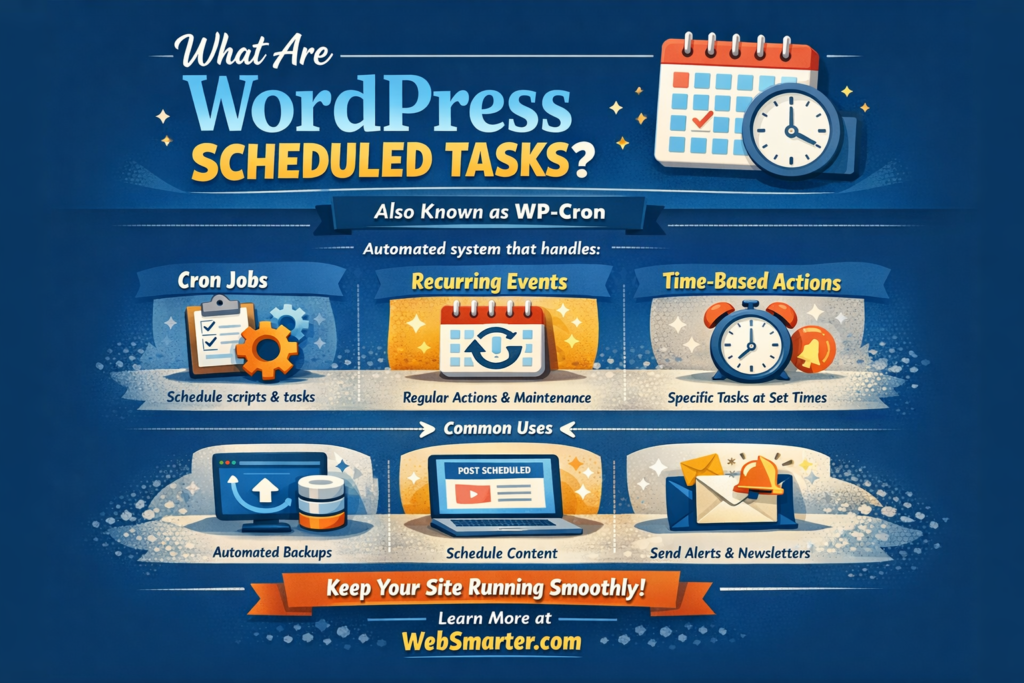
Scheduled Tasks
Tech Terms Daily – Scheduled Tasks
Category — Website Maintenance
By the WebSmarter.com Tech Tips Talk TV editorial team
1. Why Today’s Word Matters
Your website never sleeps, but your team does. Security scans, backups, cache refreshes, and uptime pings must still happen at two in the morning—or risk slow pages, data loss, or hacked code by sunrise. Scheduled tasks are the automated night-shift engineers that run vital scripts exactly when they’re needed, no coffee required. Brands that automate smartly experience 40 % fewer outages and 25 % faster page loads; those that rely on “we’ll do it Monday” learn the cost of human forgetfulness the hard way.
2. Definition in 30 Seconds
Scheduled tasks (a.k.a. cron jobs, maintenance routines, automations) are pre-programmed commands that execute on a fixed timetable—hourly, daily, weekly, or via custom triggers. In web contexts they:
- Launch scripts—backups, malware scans, image optimizers.
- Run invisibly—server-side daemons like cron (Linux) or Task Scheduler (Windows).
- Log success/failure—so ops teams can intervene only when needed.
If you’ve ever set your phone to Do Not Disturb at 11 p.m., you’ve used a scheduled task—your server deserves the same treatment.
3. Anatomy of a Website’s Task Roster
| Category | Typical Jobs | Frequency |
| Data Protection | DB & file backups, off-site sync | Nightly |
| Security | Malware scan, vulnerability patch check | 6 hr |
| Performance | Cache warm-up, database optimize, log rotation | Daily / Weekly |
| Content | Sitemap regenerate, RSS digest email | Hourly / Daily |
| Monitoring | Uptime ping, SSL expiration alert | 1 min – 1 hr |
Rule of thumb: Anything repeated more than twice by a human should be automated.
4. Scheduled-Task Tech Primer
| Platform | Scheduler | Syntax / Tooling |
| Linux / Unix | cron | 0 2 * * * /scripts/backup.sh |
| Windows Server | Task Scheduler | GUI or schtasks.exe |
| cPanel / Plesk | Cron Jobs | Web UI wrapper |
| WordPress | WP-Cron (pseudo-cron) | Runs on user page loads — replace with server cron for reliability |
5. Step-by-Step Implementation Blueprint
Step 1 — Inventory & Prioritize
List every manual maintenance task: who does it, how long it takes, risk if skipped. Score on criticality (security > performance > convenience) and frequency.
Step 2 — Script the Work
- Backups: tar -czf $(date +%F).tar.gz /var/www && rclone copy …
- Malware: clamscan -ri /var/www | mail -s “Malware Report” ops@example.com
- Cache Warm-up: Hit sitemap URLs with curl -s.
Step 3 — Schedule with Cron (Linux)
Edit crontab:
MAILTO=ops@example.com
0 2 * * * /usr/local/bin/nightly_backup.sh >> /var/log/backup.log 2>&1
*/15 * * * * /usr/local/bin/uptime_ping.sh
Step 4 — Isolate & Secure
- Run tasks under a least-privilege user.
- Store secrets (API keys) in environment variables or vaults.
- Use lockfiles or flock to prevent overlaps.
Step 5 — Test & Benchmark
- Dry-run scripts (–dry-run) to confirm no destructive commands.
- Monitor CPU/Disk to avoid peak-hour contention; move heavy jobs to off-peak windows.
Step 6 — Alert & Log
- Exit codes trigger Slack or email alerts.
- Centralize logs with Grafana Loki or Datadog to spot anomalies.
Step 7 — Document & Version-Control
- Save scripts in Git with README on schedule matrix.
- Note timezone—standardize on UTC to dodge daylight-saving chaos.
6. Common Pitfalls & Fast Fixes
| Pitfall | Impact | Remedy |
| Relying solely on WP-Cron | Tasks run only on traffic → unreliable | Trigger wp-cron.php via real cron |
| Silent failures | No backups for weeks | Set MAILTO + Slack webhook on non-zero exit |
| Overlapping jobs | Disk thrash, 500 errors | Use flock or stagger times |
| Time-zone drift | GDPR data deletion misses window | Store schedules in UTC |
| Resource spikes | Backups slow site | Use ionice/nice, throttle bandwidth |
7. Measuring Success
- Job Success Rate – ≥ 99 % green runs per month.
- Mean Time to Recovery (MTTR) – Should drop as automated backups improve.
- Page-Load Metrics – Core Web Vitals should improve post-optimization jobs.
- Security Findings – Malware scan detections caught before search-engine blacklists.
- Ops Hours Saved – Track reduced manual maintenance tickets.
8. Real-World Case Study
A nationwide retailer suffered nightly 500 errors. WebSmarter audited tasks:
- Found backups clashing with image-optimizing script at 2 a.m.
- Rescheduled backups to 1 a.m., set flock locks.
- Added Datadog alerts on task failure.
Results (60 days)
- 500 errors eliminated; uptime 99.98 %.
- Core Web Vitals LCP improved 21 %.
- Night-shift support tickets down 70 %.
9. How WebSmarter.com Automates Reliability
- Maintenance Audit – Score every task on risk, frequency, resource load.
- Script Hardening – Idempotent, secure Bash/Python with rollback logic.
- Redundant Scheduling – Multi-region cron mirror + edge functions for latency-sensitive pings.
- Observability Stack – Central logs, Grafana dashboards, anomaly alerts to Slack.
- Quarterly Tune-Ups – Shift tasks as traffic patterns evolve; implement auto-scaling runners.
- Training & Runbooks – SOPs, video walkthroughs, and on-call playbooks for client teams.
Clients enjoy 40 % fewer incidents and 25 % faster page responses within the first quarter.
Key Takeaways
- Scheduled tasks automate backups, security, performance, and reporting.
- Build via inventory → script → schedule → monitor → document.
- Avoid WP-Cron dependency, silent fails, overlaps, timezone issues.
- Track success rates, MTTR, Core Web Vitals, and ops hours saved.
- WebSmarter.com delivers audits, hardened scripts, observability, and ongoing optimization for around-the-clock reliability.
Conclusion
Great websites don’t stay great by accident—they run on orchestrated routines that guard uptime, speed, and data. Ready to swap midnight fire drills for predictable automation? Schedule a complimentary Scheduled-Task Audit with WebSmarter.com and let your site maintain itself—while you sleep soundly.

You must be logged in to post a comment.