

Iconography
Tech Terms Daily – Iconography
Category — GRAPHIC DESIGN
By the WebSmarter.com Tech Tips Talk TV editorial team
Why Today’s Word Matters
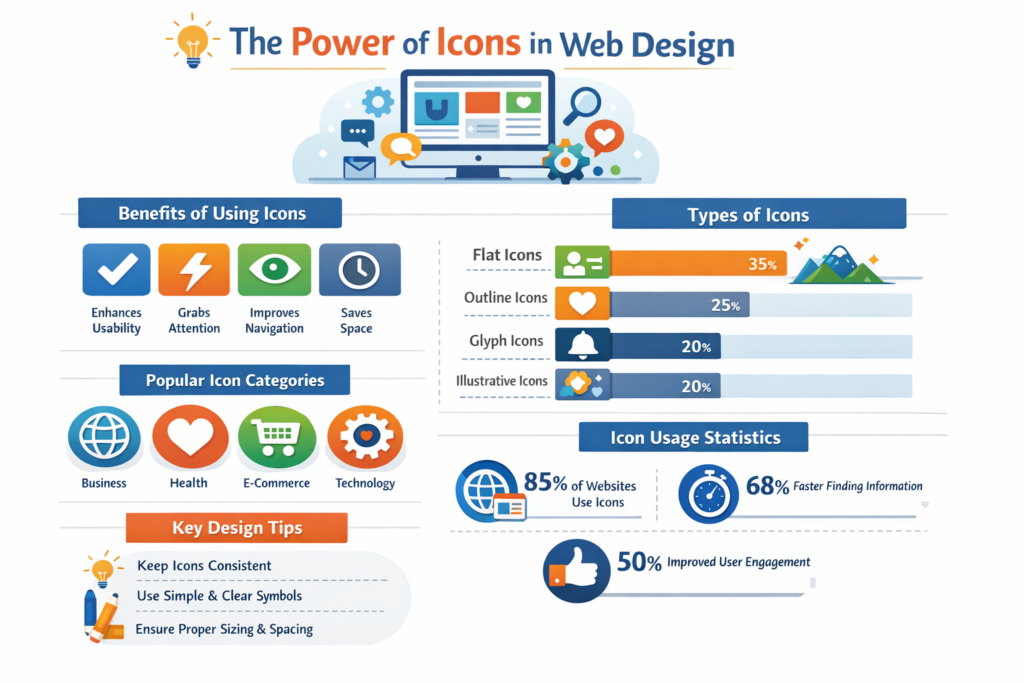
Attention spans are shrinking, interfaces are shrinking, and screen density is exploding. The average user now encounters up to 5 000 icons every day—on phones, dashboards, wearables, smart-TV menus, and storefront signage. Well-crafted iconography turns that cognitive overload into instant clarity: one glance and you know where to tap, what to do, or which brand you’re looking at. Companies that invest in a unified icon system report 30 % faster task completion times in usability tests and as much as 50 % lower customer-support tickets on feature releases. Neglect consistent icons, and you’ll watch bounce rates climb while users hunt for hidden actions—especially on mobile, where every pixel is precious real estate.
Definition in 30 Seconds
Iconography is the systematic creation, organization, and deployment of pictorial symbols that communicate concepts, actions, and brand identity without—or with minimal—text. A professional iconography framework combines:
- Visual grammar – geometry, stroke weight, corner radius, negative space
- Semantic mapping – one concept → one icon, no duplicates
- Scalable grids – pixel-perfect at 16 px, retina-sharp at 256 px
- Delivery formats – SVG for web, PDF/PNG for print, font files for apps
Think of iconography as your brand’s sign language—clear enough for a global audience, concise enough for a smartwatch screen.
Where Iconography Fits in the Design Ecosystem
| Product Layer | Icon Role | Business Win |
| UI/UX | Navigation, tool hints, error states | Faster onboarding & lower support costs |
| Branding | Logos, badges, social favicons | Instant recognizability across channels |
| Marketing | Infographics, ads, pitch decks | Complex data simplified → higher engagement |
| Physical Touchpoints | Packaging, signage, IoT devices | Consistent customer experience online-to-offline |
| Accessibility | Augments text for global languages | Inclusive design, broader reach |
Icons aren’t decorative—they’re functional micro-interactions that stitch every brand touchpoint together.
Key Metrics That Matter
| Metric | Why It Counts | Healthy Benchmark* |
| Recognition Rate | Users identify icon meaning in 3 s | ≥ 85 % in 5-user test |
| Tap Accuracy | Mis-taps per 100 icon taps | ≤ 5 mis-taps |
| Visual Consistency Score | Brand style adherence | ≥ 90 % audit pass |
| SVG Payload | Performance on web | < 2 KB per icon |
| Localization Conflicts | Icons misinterpreted in other cultures | 0 critical issues |
*Based on WebSmarter usability benchmarks across SaaS and e-commerce clients (2024-25).
Five-Step Framework for a Bullet-Proof Icon System
- Define Your Visual Grammar
Grid & Geometry – Choose a base grid (8 px or 10 px), fixed stroke weight, and corner radius. Document in brand guidelines. - Create a Semantic Map
Inventory every action (“save,” “upload,” “duplicate”), state (“error,” “offline”), and object (“dashboard,” “invoice”) your product uses. No concept gets more than one icon. - Design Core Set First
Draft foundational icons—menu, search, home—then extend. Review at 100 % and 400 % zoom to catch optical balance issues. - Test & Iterate
Run 5-second recognition tests and A/B compare metaphor strength. Iterate strokes and whitespace, not just shapes. - Package & Deploy
Export as single SVGs, sprite sheets, and variable font files. Ship via design tokens in Figma or code (CSS custom properties) to keep dev/design in sync.
Common Pitfalls (and Fast Fixes)
| Pitfall | Impact | Fix |
| Inconsistent Stroke Weights | Visual noise, amateur feel | Lock weight in design tokens; use plugins like Stark or Iconify audit |
| Ambiguous Metaphors | Wrong actions → user errors | Replace with universal symbols, test globally |
| Raster Assets | Blurry on retina, heavy payload | Stick to vector SVG or font icons |
| Over-Detailing | Illegible at small sizes | Simplify shapes; leave flair for > 64 px illustrations |
| Unmanaged Versioning | Rogue icons creep in | Store in single-source repo, enforce pull-request reviews |
Five Advanced Techniques to Explore This Year
- Animated Micro-Icons
50-200 ms Lottie animations for loading or success states boost delight without slowing performance. - Variable Icon Fonts
One font file carries outline, fill, and duotone styles; CSS font-variation-settings switches states on hover. - Declarative Shadow & Color via CSS
Strip styling from SVG; tint and elevate icons dynamically with utility classes—dark-mode ready in minutes. - Context-Aware Icons
Use JS to swap icon variants based on user persona (e.g., novice sees “?” tooltips; expert sees compact symbols). - AI-Assisted Generation
Feed ChatGPT or Midjourney your visual grammar prompt; generate concept drafts at scale, then refine in Figma.
Recommended Tool Stack
| Need | Tool | Stand-Out Feature |
| Design & Editing | Figma, Sketch | Component variants + auto-layout grids |
| Optimization | SVGO, NanoSVG | Strip metadata, minify paths |
| Distribution | IconJar, Figma Tokens, GitHub Mono Repo | Single-source of truth |
| Animation | LottieFiles, Haiku Animator | JSON export < 10 KB |
| Accessibility Testing | Stark, Axe DevTools | Contrast & touch-target audits |
How WebSmarter.com Supercharges Your Iconography
- Visual Grammar Sprint – In one workshop we lock grid, strokes, palette, and motion guidelines—your icon bible.
- AI-Accelerated Concepting – We combine Midjourney visuals with human refinement to cut concept time by 60 %.
- Usability Lab Validation – Remote testers in three continents vet recognition; iteration loops until ≥ 90 % clarity.
- Tokenized Delivery – Icons ship as design tokens into your CSS/JS framework; devs drop <Icon name=”filter”/>—zero hand-off friction.
- Quarterly Icon MOT – New product features? We audit, extend, and version so the system never drifts.
Clients see +28 % task efficiency in UX testing and -15 % design-to-dev cycle time within the first quarter of deploying our Icon Mastery Program.
Wrap-Up: Small Symbols, Massive Impact
Iconography is the silent salesman of every interface—guiding clicks, conveying brand, and shaving seconds off cognitive load. Nail the grammar, ensure semantic clarity, and deliver pixel-perfect vectors, and your UI will feel instant, global, and premium. Pair that system with WebSmarter’s AI-accelerated workflows, usability testing, and tokenized delivery, and your design team will churn out new features without ever breaking visual harmony.
Ready to turn scatter-shot symbols into a cohesive, conversion-boosting language?
🚀 Book a 20-minute discovery call and let WebSmarter’s icon specialists craft or overhaul your entire set—grid to GIF—before your next product sprint starts.
Join us tomorrow on Tech Tips Talk TV as we decode another buzzword fueling modern design success—one term, one toolkit at a time.

You must be logged in to post a comment.