

Theme Conflicts
Tech Terms Daily – Theme Conflicts
Category — WEBSITE MAINTENANCE
By the WebSmarter.com Tech Tips Talk TV editorial team
Why Today’s Word Matters
Your CMS theme is supposed to be the costume that makes your website shine—not the straight-jacket that breaks checkout, buries SEO, and spooks users with blank screens. Yet nearly 1 in 4 support tickets WebSmarter handles each month trace back to theme conflicts: clashes between the active theme and plug-ins, core-CMS updates, third-party scripts, or even server-side PHP versions. The fallout can be pricey—lost sales, skewed analytics, and emergency weekend fixes. Mastering theme conflict prevention and triage turns routine updates into silent successes; ignoring it can transform every plugin install into Russian roulette.
Definition in 30 Seconds
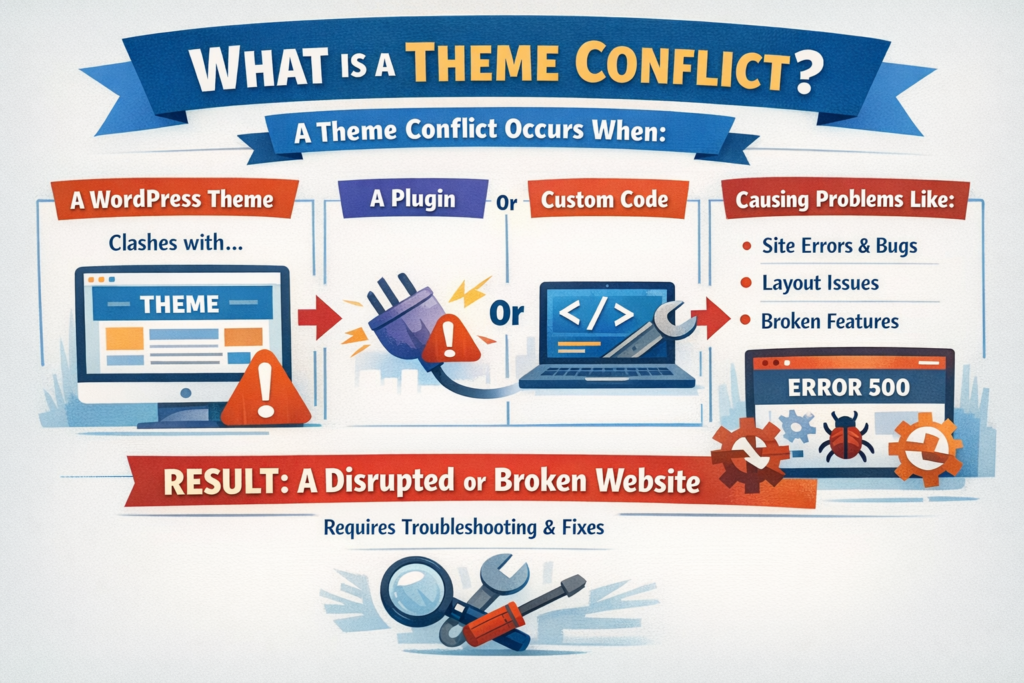
A Theme Conflict occurs when the code, assets, or configuration of a CMS or e-commerce theme interferes with other components—plug-ins, core updates, JavaScript libraries, or hosting environment—causing visual glitches, functional errors, or complete site crashes. Typical culprits:
- Overwritten templates & hooks that bypass core-CMS changes
- Bundled, outdated JS/CSS libraries that collide with newer versions
- Hard-coded function names clashing with plug-ins using the same namespace
- Server-side incompatibilities (PHP 8.x vs legacy theme functions)
Think of theme conflicts as code traffic accidents: two modules expect right-of-way, and users end up in the pile-up.
Where Theme Conflicts Rear Their Heads
| Website Area | Common Symptoms | Business Impact |
| Front-End UI | Broken layout, missing icons | Brand trust tanks |
| Checkout / Forms | Button unclickable, JS errors | Immediate revenue loss |
| Admin Dashboard | White screen, 500 errors | Productivity halt |
| SEO Layer | Duplicate meta tags | Rankings slip |
| Analytics | Events not firing | Data blindness |
Quick diagnosis = money saved; every hour of downtime is missed conversions.
Key Metrics to Monitor
| Metric | Why It Matters | Healthy Range |
| Error Log Spike (error_log, Sentry) | Early conflict signal | < 5 errors/hour |
| Core Web Vitals Drift | Hidden layout shifts point to CSS collisions | LCP < 2.5 s, CLS < 0.1 |
| Checkout Abandonment Jump | JS clash in cart | Flag if +5 % WoW |
| Admin 500 Error Count | Theme/PHP mismatch | Zero recurring |
| Time-to-Rollback | Incident response efficiency | < 15 min with staging/CI/CD |
5-Step Playbook to Avoid & Squash Theme Conflicts
- Run a Child Theme—Always
Keep parent theme untouched; custom tweaks live in the child. Core updates then overwrite only parent, slicing conflict odds in half. - Audit Dependencies Monthly
Use npm ls or WP-CLI to list bundled libraries. Replace outdated jQuery, Bootstrap, Font Awesome versions with dependency-free or CDN-based calls. - Stage, Test, Diff
Staging clone → update plug-in/theme → automated Cypress/Selenium smoke tests → visual diff via Percy. Merge only after green build. - Namespacing & Prefixing
Prefix custom PHP functions (ws_), unique CSS class namespaces (ws-hero__title) to dodge collisions with plug-ins or future theme assets. - Observability & Rollback
Pipe PHP errors to Sentry, JS console errors to Datadog RUM. One-click rollback (Git + CI/CD, WP-CLI wp theme activate) turns disasters into footnotes.
Common Pitfalls (and Quick Fixes)
| Pitfall | Problem | Rapid Remedy |
| Editing parent theme files | Updates overwrite work | Use child theme or hooks |
| Loading multiple JS libraries | Double-jQuery errors | Deregister duplicates; enqueue once |
| Inline CSS overrides | Hard to debug & version | Move styles to SCSS partials |
| Ignoring PHP deprecation | Warnings become fatal in next upgrade | Refactor to latest PHP functions |
| Skipping version control | No rollback path | Git all the things—theme files + DB exports |
Five Advanced Tactics for 2025
- Headless Preview Sandbox
Spin up disposable preview URLs per pull request—QA spots theme clashes before merge. - Component Isolation with Web Components
Encapsulated CSS/JS avoids global namespace pollution inside legacy themes. - AI-Powered Diff Alerts
LLM summarises release notes; flags functions or classes likely to collide with active theme. - Server-Side Rendered Critical CSS
Generates per-page critical CSS, reducing reliance on bulky theme files and minimizing overlap. - Feature Flags
Toggle new theme sections for 1 % traffic; measure errors before full rollout.
Recommended Tool Stack
| Purpose | Tool | Highlight |
| Version Control & CI/CD | GitHub + Actions | Auto-deploy to staging, unit tests |
| Local Dev | Docker, DevKinsta/LocalWP | Match prod PHP/MySQL |
| Visual Regression | Percy, Chromatic | Pixel-diff themes after updates |
| Error Monitoring | Sentry (PHP + JS), Datadog RUM | Real-time alerts |
| Performance Audit | Lighthouse-CI, WebPageTest | Detect LCP/CLS regressions |
How WebSmarter.com Keeps Theme Conflicts at Bay
- 3-Hour Conflict Audit – We scan theme, plug-ins, and server stacks; deliver a clash matrix and priority fixes.
- Child theme refactor – Migrate risky hard-coded edits into hook-based, update-safe modules.
- CI/CD Pipeline Drop-In – Automated staging builds, visual diff tests, and Slack alerts for every pull request.
- Real-Time Error Guardrails – Sentry dashboards + PagerDuty rules mean devs know before customers tweet screenshots.
- Quarterly Theme MOT (Maintenance, Optimization, Testing) – Regular tune-ups keep Core Web Vitals green and conflicts extinct.
Clients report -80 % emergency hot-fix hours and +22 % faster page loads three months after onboarding.
Wrap-Up: Themes Should Shine—Not Shatter
Theme Conflicts are silent killers of revenue and reputation, but with disciplined workflows—child themes, CI/CD, observability, and proactive audits—your site can evolve without exploding. Pair that rigor with WebSmarter’s conflict-prevention toolkit, and every update becomes a performance upgrade, not a liability.
Ready to eliminate theme drama forever?
🚀 Book a 20-minute discovery call and let WebSmarter’s maintenance engineers harden your theme, automate your tests, and keep your website in conflict-free harmony—update after update.
Stay tuned for tomorrow’s Tech Terms Daily as we decode another buzzword turning tech headaches into growth opportunities—one term at a time.


You must be logged in to post a comment.