

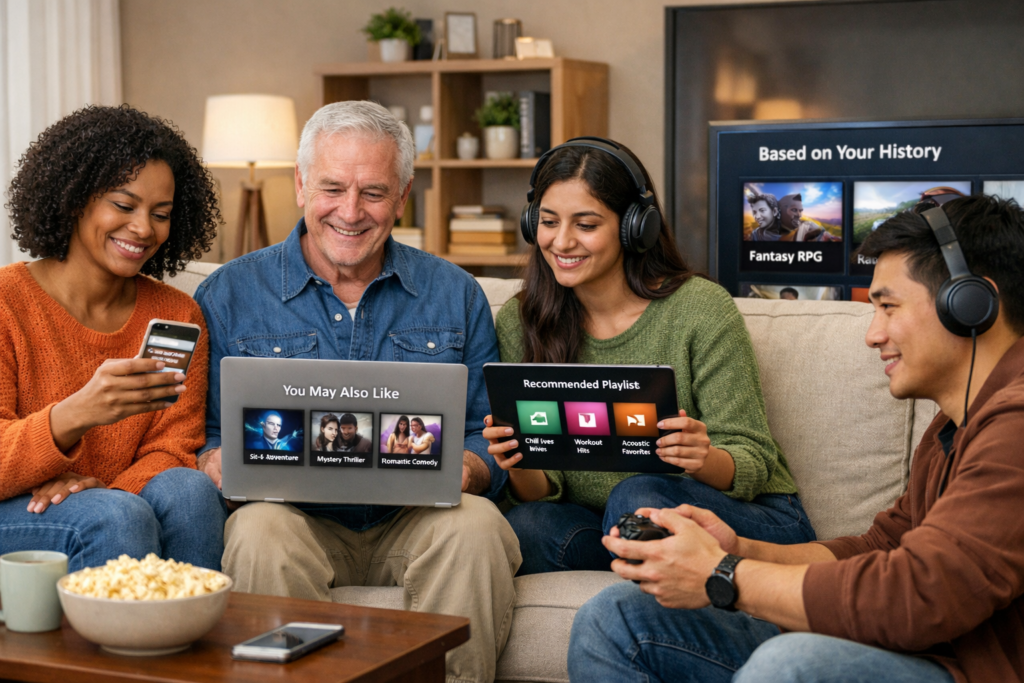
Recommendation Engine
Tech Terms Daily – Recommendation Engine
Category — A.I. (ARTIFICIAL INTELLIGENCE)
By the WebSmarter.com Tech Tips Talk TV editorial team
1 | Why Today’s Word Matters
Netflix claims 80 % of the hours we stream come from its recommender. Amazon attributes 35 % of revenue to “Customers who bought…”, and TikTok’s For-You feed now dictates global music charts. No surprise then that Gartner predicts brands deploying Recommendation Engines will grow digital revenue by 30 % over peers that ignore them.
The stakes keep rising: third-party cookies are evaporating, CPMs are climbing, and consumers expect hyper-personal relevance. Recommenders transform anonymous clicks and cryptic telemetry into “next best” products, articles, playlists, or courses—driving conversions when ads struggle to track. Companies that master recommendation see:
- 2-3× higher average order value (AOV) via cross-sell bundles
- +40 % session length in content apps
- –25 % churn as users feel understood
Treat recommendation like a growth engine and every touchpoint nudges users deeper into the funnel. Ignore it and you’ll pay ever-higher acquisition costs to replace disengaged visitors.
2 | Definition in 30 Seconds
A Recommendation Engine is an AI system that ingests user behavior, item metadata, and contextual signals to predict and present content or product options each individual is most likely to consume next. Core flavors:
- Content-Based Filtering – Matches users to items with similar attributes (e.g., genre, color, price).
- Collaborative Filtering – “Users like you” patterns from historical interactions.
- Hybrid/Contextual Models – Blend CF + CB + real-time context (location, device, time-of-day) using matrix factorization, embeddings, and deep learning.
Think of a recommendation engine as a digital concierge—curating the perfect menu, shelf, or feed for every visitor at scale.
3 | Where Recommendation Engines Power the Funnel
| Funnel Stage | Recommendation Type | Business Win | Example |
| Discovery | Trending, popular-near-you | Lower bounce, fast value realization | “Top picks in Manila today” |
| Engagement | Continuous scroll / autoplay | Session depth, ad impressions | Instagram Reel queue |
| Conversion | Cross-sell / bundles | Higher AOV | “Buy the look” carousel |
| Retention | Next-best-action emails | Reduce churn, reactivation | Spotify “Release Radar” |
4 | Key Metrics That Matter
| Metric | Why It Matters | Healthy Benchmark* |
| Click-Through Rate (CTR) | Attractiveness of recommendations | ≥ 1.5 × site average |
| Conversion on Rec Slot | Direct revenue attribution | 5–15 % on e-commerce product carousels |
| Coverage / Catalog Utilization | Inventory breadth consumed | 60 % of SKUs touched monthly |
| Mean Reciprocal Rank (MRR) | Algorithm offline evaluation | ≥ 0.25 for top-5 suggestions |
| Diversity / Serendipity | Prevents filter bubbles | Gini coefficient ≤ 0.6 |
*Benchmarks from WebSmarter data-science engagements, 2024-25.
5 | Five-Step Blueprint to Build a High-Performing Recommendation Engine
1. Collect & Clean Multi-Modal Data
Capture clicks, views, buys, search queries, dwell time, returns, ratings. Enrich with item metadata: price, color, tags, embeddings from product images or text.
2. Choose the Right Model Mix
- Cold-start? Use content-based + metadata embeddings.
- Warm users? Matrix factorization (ALS) or item-item similarity.
- Real-time personalization? Deep learning sequence models (RNN/Transformer-based) with context features.
3. Deploy a Feature Store & Real-Time Pipeline
Feast or Tecton to keep offline (training) and online (serving) features in sync. Kafka / PubSub streams feed interactions within seconds.
4. A/B Test with Guardrails
Bucket users; compare baseline vs. new algorithm on CTR, conversion, and latency. Use sequential testing or bandits to reach significance faster.
5. Monitor, Retrain, and Debias
Track drift, popularity bias, and demographic skew. Automate nightly or weekly retraining; insert fairness regularizers where regulation (EU AI Act) applies.
6 | Common Pitfalls (and Quick Fixes)
| Pitfall | Symptom | Remedy |
| Popularity Bias Only | Same best-seller loop, low discovery | Diversity penalty or re-rank with freshness |
| Cold-Start Item/User | Zero recommendations for new SKU/email | Metadata embeddings + backoff to global trends |
| Latent Feedback Delay | Inventory lags behind user actions | Real-time event streaming + online learning |
| High Latency (>200 ms) | Page load slows, slot collapses | Precompute candidate set, cache top-N |
| Opaque Logic → Trust Issues | Users question suggestions (“Why this?”) | Provide explanation chips (“Because you watched ___”) |
7 | Five Advanced Tactics for 2025
- Multi-Objective Re-Ranking
Combine personalization score with margin or inventory goals; optimize for profit, not just clicks. - Vector Search at Scale
Store item and user embeddings in Pinecone or Weaviate for millisecond nearest-neighbor retrieval across millions of vectors. - Session-Based Transformers
Use SASRec or BERT4Rec architectures to predict next item from click sequences—boosting short-session CTR +18 %. - Real-Time Counterfactual Evaluation
Logging propensities enable offline unbiased metrics, slashing A/B test cycles. - Privacy-Preserving Federated Training
Mobile apps train on-device, share gradients, keep raw data local—compliant with GDPR/CPRA while leveraging fresh signals.
8 | Recommended Tool Stack
| Layer | Tool / Service | Highlight |
| Data Capture & Stream | Kafka, Google Pub/Sub, Segment | Millisecond event ingestion |
| Feature Store | Feast, Tecton | Online/offline parity |
| Model Training | TensorFlow Recommenders, PyTorch, Spark MLlib | Scalable training pipelines |
| Vector DB / Retrieval | Pinecone, Weaviate, Milvus | Fast ANN search for embeddings |
| A/B Testing & Bandits | Optimizely Feature, VWO, AWS Evidently | Statistical rigor, traffic gating |
| Monitoring & Drift | Evidently AI, Arize, WhyLabs | Bias, performance, and data-drift alerts |
9 | How WebSmarter.com Turns Recommendations into Revenue
- Data & Opportunity Audit – 72-hour sprint maps data quality, catalog tags, and current funnel leakages; delivers projected uplift model.
- MVP Engine in 30 Days – WebSmarter data scientists stand up a hybrid ALS + content-embedding recommender; A/B tests deliver +22 % carousel CTR.
- Real-Time Personalization Layer – Kafka + Pinecone integration pushes updates in <5 seconds; cart adds jump +14 %.
- Explainability Dashboard – SHAP-style visuals show merchandisers why items surface; trust boosts adoption.
- Quarterly Optimization – We retrain, re-rank for margin goals, and roll out new algorithms (transformers, bandits) without downtime.
10 | Wrap-Up: Guide Every Click, Grow Every Dollar
A Recommendation Engine is no longer a “nice-to-have”—it’s the invisible hand steering user journeys, maximizing lifetime value, and defending margins against rising acquisition costs. When engineered with robust data pipelines, hybrid models, and continuous optimization, recommendations delight customers and finance teams alike. Plug WebSmarter’s end-to-end framework into your stack and transform raw behavioral data into a 24/7 digital concierge that grows revenue while you sleep.
Ready to recommend, convert, and retain at scale?
🚀 Book a 20-minute discovery call and WebSmarter’s AI architects will design, build, and optimize a recommendation engine tuned to your catalog, traffic, and profit goals—before your next big campaign launches.
Join us tomorrow on Tech Terms Daily as we turn another buzzword into a step-by-step growth blueprint—one term, one measurable win at a time.

You must be logged in to post a comment.